The Payment Methods module allows authorized country administrators to:
Administrators can configure which payment options are available for customers during the checkout process.
Status:
The Status setting allows administrators to activate or deactivate a specific payment method.
When a payment method is set to Active, it will be available to customers during checkout.
When set to Inactive, the payment method will not appear as an available option.
Guest Checkout:
The Guest Checkout option determines whether a payment method is available to:
If Guest Checkout is disabled, the payment method will only be available to customers who have created an account and are logged in.
Cash on Delivery:
The Cash on Delivery module allows administrators to configure the information displayed to customers during the checkout process.
The following fields can be edited:
-
Display Text – The name of the payment method shown on the checkout page.
-
Description – The short description displayed in the payment methods section during checkout.
-
Payment Instructions – Additional information displayed to the customer after selecting this payment method.
Bank Transfer:
The Bank Transfer module allows administrators to configure the information displayed when customers choose to pay by bank transfer.
The following fields can be edited:
-
Display Text – The name of the payment method shown on the checkout page.
-
Description – The description displayed in the payment methods section during checkout.
-
Payment Instructions – Instructions shown to the customer after selecting the bank transfer option.
Bank Transfer Payment Process
The bank transfer payment method follows a three-step process:
-
After the order is placed, the customer is shown the bank account details (IBAN) in the Payment Instructions section.
-
The customer completes the bank transfer and uploads the proof of payment as confirmation.
-
In the Admin Panel an administrator reviews and approves the payment confirmation, completing the order process.
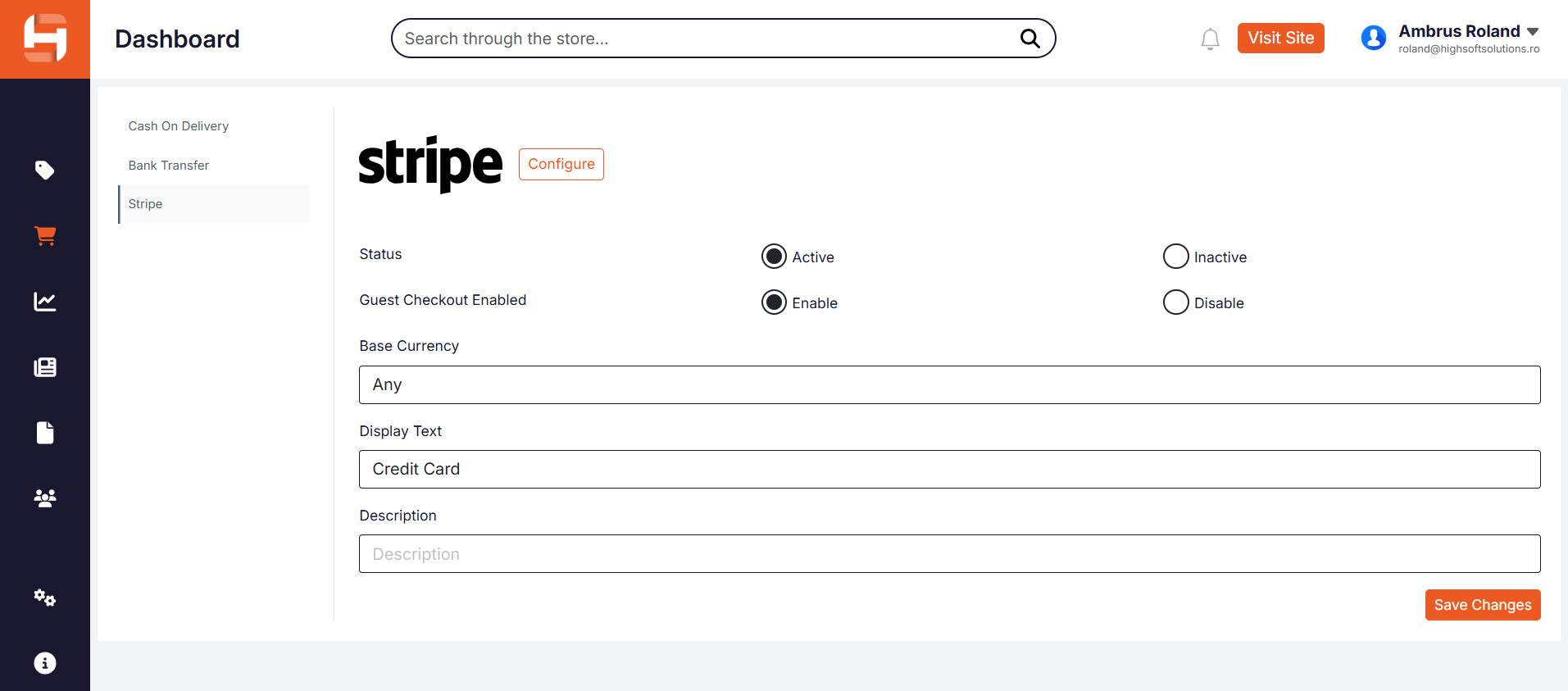
The Stripe payment method allows customers to complete payments using credit or debit cards through the Stripe payment gateway.
The Stripe payment method becomes available in the Payment Methods section after the Stripe integration has been enabled in:
Settings → Integrations
Once the integration is activated, authorized country administrators can configure the following settings:
- Status – Enables or disables the Stripe payment method. When active, customers can select Stripe during checkout.
- Guest Checkout Enabled – Determines whether the Stripe payment method is available to visitors who are not logged in. When enabled, guest users can complete payments without creating an account.
- Base Currency – Defines the currency used for Stripe transactions. When set to Any, the system accepts payments in the currency configured for the webshop.
- Display Text – The name of the payment method displayed to customers on the checkout page (for example, Credit Card).
- Description – Optional text shown to customers in the payment methods section during checkout.
After modifying any settings, administrators must click Save Changes to apply the configuration.